Free after approval
Trans women can read and send after profile-photo and photo-verification approval.
Wondering how MyTransgenderCupid works? Start with you: the things you love, the connection you hope for and the pace that feels right. Make a profile, discover someone who catches your attention and give a conversation room to grow. Here is what to expect on our website and Android app, including what is free and which choices have conditions.
You do not have to write your whole future in a first message. A little curiosity, a shared interest, a kind hello: sometimes that is enough for a beginning.
Your MTC profile gives someone a glimpse of the person behind the portrait. Share your interests, your personality and what you hope to find, whether that is friendship or a relationship. A thoughtful introduction is more useful than trying to sound perfect.
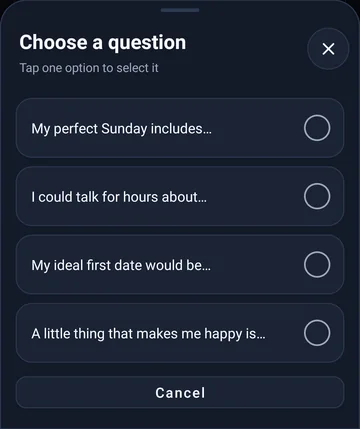
Registration is free for adults aged 18 and over. Follow the steps on your screen, use an email address you can access and complete any email-confirmation step. Add your own recent photos. Optional My Story questions can help you describe the little things you would love to share with someone; new or changed answers are reviewed before publication.
Profile approval and photo verification do different jobs. A profile or photo can need moderator approval, while photo verification is a separate submission with instructions in your account. Uploading something does not mean it has already been approved.
For trans women, free reading and sending of messages requires an approved profile photo and approved photo verification. Check your account status and follow any request for a correction. Review times vary; we do not promise an approval deadline. Checks help support the community, but cannot guarantee someone’s identity, intentions or safety.
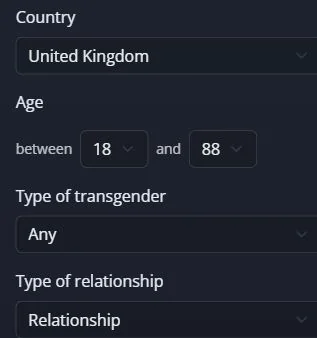
Discover people on MTC through profiles and the preferences that matter to you. On the website, search can include country, age and relationship preferences. In Android Discover, For you, Online now and New here offer different starting points, with search filters nearby.
Read a little before deciding how to introduce yourself. Interests and personal answers can give you something real to ask about. A like shows interest, a favorite helps you find a profile again, and a friend request still needs acceptance. None of those actions unlocks messaging. Search results and online status do not guarantee availability, compatibility or a reply.
MTC messaging gives you a place to get to know someone without immediately exchanging a phone number. Trans women can read and send messages free after the required profile-photo and photo-verification approvals. Men can register and browse free, then use conversation access using credits, when the account meets the requirements or choose Premium for messaging.
Start with a detail the person chose to share: a favourite song, an interest, a hope for the weekend. There is no need to turn an introduction into an interview. You do not need a mutual swipe-match to explore a conversation, but account eligibility, contact restrictions and blocking still apply. A membership or unlock never creates an obligation to reply.
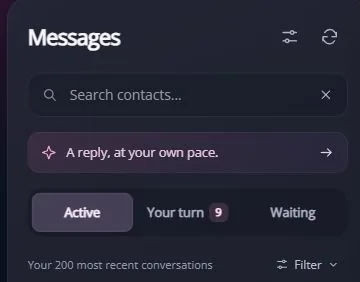
Trans women can read and send after profile-photo and photo-verification approval.
Eligible accounts can unlock a single chat for the stated period. Other chats stay separate.
Choose a messaging membership instead. Check included benefits and purchase terms; Visibility boosts are separate.
Conversation credits let eligible non-Premium accounts unlock one conversation. The current option uses five credits for 24 hours of reading and sending messages with that member, with no extra credit charge per message during those 24 hours. The 24 hours begin when you confirm the unlock.
Your profile must meet the requirements shown before activation; the current unlock requires at least 50% profile completion and an eligible account. Already released messages remain readable afterwards. New messages after expiry may need another unlock. A membership is the other option, with its own benefits. Website fixed-term plans and Google Play subscriptions have different purchase and renewal terms: check the total price and renewal terms before paying.
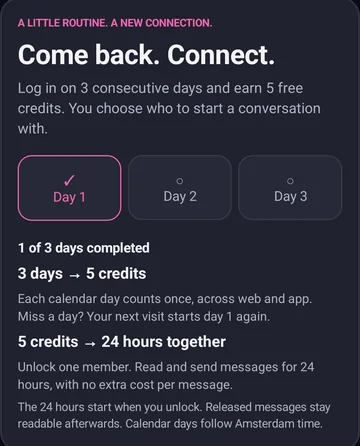
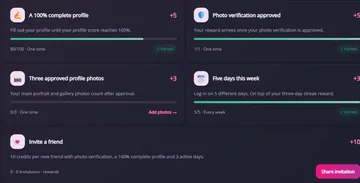
Earn credits by completing eligible milestones in your account. A three-day login streak currently earns five credits. A 100% complete profile and approved photo verification each earn five once; three approved profile photos earn three once. Five different active days in a week earn three more.
One-time milestones are awarded once across the website and Android app. Calendar days and Monday-to-Sunday weeks follow Amsterdam time. Miss a streak day and the next visit starts day one again. Inviting a friend can earn ten credits after that person has approved photo verification, a 100% profile and three active days. Check the progress shown in your account. Activity points and levels are not your spendable credit balance.
Spotlight is an optional way to use credits for additional profile visibility, separate from Premium and conversation unlocks. Open the offer to see your account’s current cost, duration and eligibility before confirming. The web offer checked for this guide showed ten credits for 24 hours; your current screen is decisive.
An approved profile photo and an eligible, active account are needed. Boosted profiles carry a Spotlight label; Recently active is a different label and does not mean a paid boost. Placement rotates among relevant members. Extra visibility cannot guarantee views, likes, matches or messages, so begin with a profile that feels like you rather than expecting a boost to do the connecting.
Timeline can offer another glimpse of the MTC community through member activity. The website shows activities such as profile updates, while the Android photo and video feed is for browsing shared media. The screens have different purposes and controls.
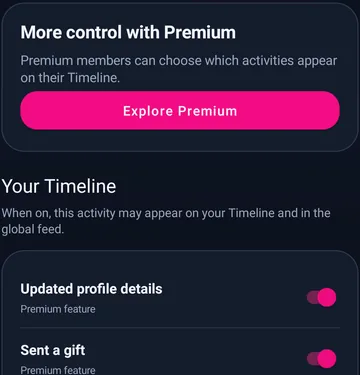
A shared interest or a new photo can give you something to ask about. Open a profile to learn more before starting a conversation. In privacy settings, the supported activity switches let members with the required membership choose what may appear on their own page and in the global feed. Turning a switch off does not make the whole account invisible.
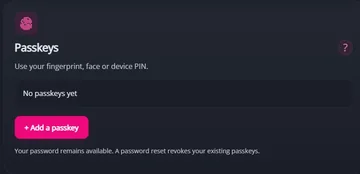
Your privacy and account controls help you choose what to share and how to sign in. Website settings offer passkeys on supported browsers and devices, using a fingerprint, face or device PIN prompt. Your password remains another sign-in option; a password reset revokes existing MTC passkeys.
These sign-in instructions apply to the website. Premium location privacy can hide your city name while your country remains visible; search filters and distance can still offer location clues. Blocking, reporting and support are there when something feels wrong. Avoid sending money to someone you have only met online, and take time before sharing contact details or planning a public first meeting.
Yes. Sign in to the website and official Android app with the same MTC account. You do not need to create another account. One-time rewards are awarded once per account, regardless of which device you use.
Use the MTC website in your browser on iPhone or iPad. For Android, follow the official Google Play link on this page. Downloading the app is free; optional purchases and messaging conditions remain separate.
No paid messaging plan is required after approval of the profile photo and photo verification. Other account requirements still apply, and optional credit features such as Spotlight are separate.
Eligible accounts can use conversation credits. The current unlock is five credits for one conversation for 24 hours, under the account and profile requirements shown before confirmation.
No. Spotlight is an optional visibility feature. Messaging access follows its own conditions, and nobody can guarantee another member’s interest or a relationship.
Messages already released stay readable. New messages after the access window ends may require another unlock. The timer starts at activation, not at your first reply.
Your pace. Your choice. Your story.